Installation
Current release: 1.1.0
Before installing ARRI LUKA, review the compatibility and system requirements. Select the package matching your Unreal Engine version and operating system.
Install the plugins
- Obtain the compiled ARRI LUKA package through the official download portal.
- Copy
ARRI_Fixtures,ARRI_Camera, andARRI_Coreinto your Unreal Engine project'sPluginsdirectory. Alternatively, copy them into the Unreal Engine installation'sPluginsdirectory. - Open your project and verify that all three plugins are enabled in the plugin settings.
Apply your license
-
Open Window > ARRI LUKA > License Manager.
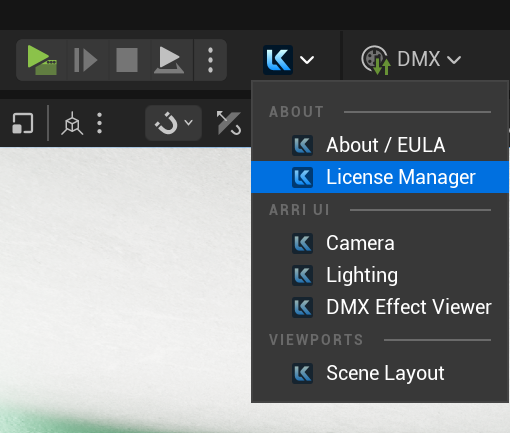
-
Click the path selection button in the License Manager and select your LUKA PEM license file.
Continue with Getting started.